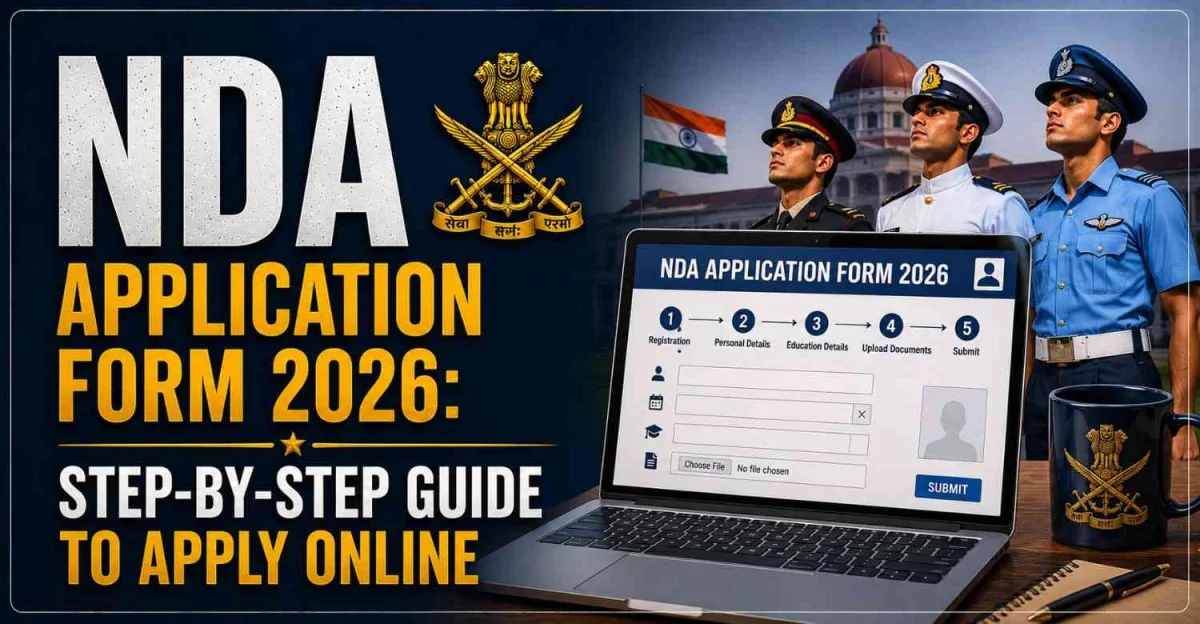
NDA Application Form 2026: Step-by-Step Guide to Apply Online
For thousands of defence aspirants, the release of the NDA application form marks the beginning of their journey toward becoming officers in the Indian Armed Forces. Every year, the Union Public Service Commission (UPSC) conducts the National Defence Academy (NDA) and Naval Academy (NA) Examination for candidates who aspire to join the Army, Navy, or Air Force after Class 12. The first official step in this journey is completing the NDA application form correctly.
While filling the application form may seem straightforward, many candidates make mistakes that can lead to application rejection, correction requests, or unnecessary stress. Errors in personal details, educational information, uploaded documents, or exam centre selection are among the most common reasons candidates face issues during the recruitment process.
The good news is that the NDA online application process is simple when approached carefully. If you understand each step before starting, you can complete the form smoothly and avoid last-minute problems.
This guide explains the complete NDA Application Form 2026 process, from registration to final submission, along with important tips and common mistakes to avoid.
Why Filling the NDA Form Correctly Matters
Many candidates focus entirely on exam preparation and treat the application process as a formality. However, your NDA application form becomes the foundation of your entire recruitment journey.
The information entered during registration is used throughout the selection process, including:
-
Written examination
-
Admit card generation
-
SSB interview
-
Document verification
-
Final joining process
A small mistake in your name, date of birth, educational details, or identification documents can create complications later. That is why UPSC advises candidates to carefully review every detail before final submission.
NDA Application Form 2026: Important Overview
Before discussing the application process, let's look at the basic details candidates should know.
UPSC conducts NDA examinations twice annually, and applications are accepted only through the online portal.
Who Can Apply for NDA 2026?
Before filling out the form, candidates must ensure they meet the eligibility requirements.
Generally, candidates should:
-
Be unmarried male or female candidates as per the notification
-
Have passed or be appearing in Class 12
-
Meet the prescribed age criteria
-
Fulfil nationality requirements
-
Meet physical and medical standards
Candidates awaiting their Class 12 results are also allowed to apply, provided they meet the eligibility conditions specified by UPSC.
Documents Required Before Filling NDA Form 2026
One of the biggest reasons candidates face delays is because they start the application process without keeping the required documents ready.
Before beginning registration, keep the following items available:
Personal Information
-
Class 10 Marksheet
-
Aadhaar Card or Valid ID Proof
-
Mobile Number
-
Active Email Address
Educational Information
-
Class 12 Details
-
School Information
-
Board Details
Scanned Documents
-
Passport-size Photograph
-
Signature
-
Identity Proof (if required)
Having all documents prepared beforehand can reduce application time significantly.
Step 1: Complete One-Time Registration (OTR)
The first step in the NDA application process is creating your One-Time Registration (OTR) profile.
UPSC now uses an OTR system that allows candidates to register once and use the same profile for future UPSC examinations.
What Information is Required?
During OTR registration, candidates typically provide:
-
Full Name
-
Date of Birth
-
Mobile Number
-
Email Address
-
Identity Proof Details
After successful registration, candidates receive login credentials and can proceed to the application form.
Why OTR is Important
The OTR profile remains valid for future UPSC examinations as well. Therefore, candidates should enter information carefully because these details may be used repeatedly.
Step 2: Login and Select NDA Examination
After completing OTR registration, candidates must log into the UPSC application portal.
Once logged in:
-
Select NDA & NA Examination
-
Choose the relevant exam cycle
-
Open the application form
Candidates should carefully read the official notification before proceeding.
This helps ensure they understand eligibility requirements, age criteria, and important instructions.
Step 3: Fill Personal Details
The next section requires candidates to enter personal information.
This includes:
-
Candidate's Name
-
Father's Name
-
Mother's Name
-
Date of Birth
-
Gender
-
Nationality
-
Marital Status
All information should match official documents exactly.
Even minor spelling differences can create problems during document verification.
Step 4: Enter Educational Details
This section requires academic information.
Candidates need to provide details such as:
-
Class 10 Qualification
-
Class 12 Qualification
-
Board Name
-
Year of Passing
-
Current Academic Status
Candidates appearing in Class 12 can usually select the appropriate "appearing" option as specified by UPSC.
Many aspirants rush through this section, but educational details should always be double-checked before moving forward.
Step 5: Choose Examination Centre
The NDA examination is conducted across multiple cities throughout India.
Candidates can select their preferred examination centre while filling the application form.
How Should You Choose?
Ideally, choose:
-
A city close to your residence
-
A centre with convenient transportation
-
A location you can easily reach on exam day
Popular centres often fill quickly, which is another reason candidates should apply early instead of waiting until the last date.
Step 6: Upload Photograph and Signature
After entering personal and educational information, candidates must upload scanned documents.
Usually required:
Photograph
-
Recent passport-size photo
-
Clear background
-
Good image quality
Signature
-
Proper signature in the prescribed format
-
Clear and readable
Blurry images or incorrect file sizes can lead to application issues.
Candidates should carefully follow the specifications mentioned in the official notification.
Step 7: Pay the Application Fee
After uploading documents, candidates proceed to fee payment.
The application fee varies according to category and UPSC notification guidelines.
Payment can generally be made through:
-
Debit Card
-
Credit Card
-
Net Banking
-
UPI
-
Other approved payment methods
Candidates should wait for payment confirmation before closing the browser window.
Step 8: Review the Application Carefully
This is arguably the most important stage of the entire process.
Before final submission, review:
-
Name spelling
-
Date of birth
-
Educational details
-
Exam centre
-
Uploaded documents
-
Contact information
Many candidates discover mistakes only after submitting the form.
Spending five extra minutes reviewing the application can save significant trouble later.
Step 9: Submit and Download Confirmation
Once everything is verified:
-
Submit the application
-
Download the confirmation page
-
Save the application PDF
-
Take a printout for future reference
Candidates should also save:
-
Registration Number
-
Login Credentials
-
Payment Receipt
These details may be required later during admit card download or correspondence with UPSC.
Common Mistakes Candidates Should Avoid
Every year, candidates make avoidable mistakes while filling the NDA form.
Some of the most common errors include:
Waiting Until the Last Date
Heavy website traffic can create technical issues.
Incorrect Personal Details
Names and dates should always match official documents.
Uploading Wrong Documents
Improper photographs and signatures often lead to rejection.
Using Inactive Email IDs
Candidates may miss important communication from UPSC.
Ignoring Eligibility Criteria
Applying without meeting age or educational requirements can result in disqualification.
Applying early gives candidates enough time to identify and correct mistakes.
What Happens After Submitting the NDA Application Form?
Many candidates assume the process ends after submitting the form.
In reality, the next stages include:
-
Admit Card Release
-
Written Examination
-
NDA Result
-
SSB Interview
-
Medical Examination
-
Final Merit List
Candidates who qualify the written examination must subsequently register for the SSB interview process within the prescribed timeline.
Tips for First-Time Applicants
If this is your first UPSC application, keep the process simple.
Some useful tips include:
-
Read the official notification first
-
Keep documents ready beforehand
-
Use a stable internet connection
-
Fill information slowly and carefully
-
Review details before submission
-
Save all confirmation documents
Remember that the application form is the first official step toward your NDA dream.
Final Verdict
The NDA Application Form 2026 process is straightforward, but accuracy is essential. From completing the One-Time Registration (OTR) to selecting the examination centre and uploading documents, every step should be completed carefully.
Candidates who prepare their documents in advance, understand the eligibility criteria, and avoid last-minute registration generally face fewer problems during the application process. Most importantly, never rush through the form. A few extra minutes spent verifying details can prevent major issues later in the recruitment cycle.
If you are serious about joining the National Defence Academy, treat the application process with the same seriousness as your exam preparation. A correctly submitted form is the first step toward becoming an officer in the Indian Armed Forces.
FAQs
When will the NDA Application Form 2026 be released?
UPSC releases NDA application forms separately for NDA I and NDA II examinations through its online portal.
Can Class 12 appearing students apply for NDA 2026?
Yes. Candidates awaiting Class 12 results can apply if they meet the eligibility requirements specified by UPSC.
Is One-Time Registration (OTR) mandatory?
Yes. Candidates must complete OTR before filling the NDA application form.
Can I edit my NDA application after submission?
UPSC may provide correction windows for certain details as per official guidelines. Candidates should still ensure accuracy before final submission.
What documents are required for NDA registration?
Candidates generally need educational details, identity proof, a passport-size photograph, a signature, and valid contact information while filling the application form.