NDA 2026 Admit Card Out: Step-by-Step Download Guide, Centre & Carry List
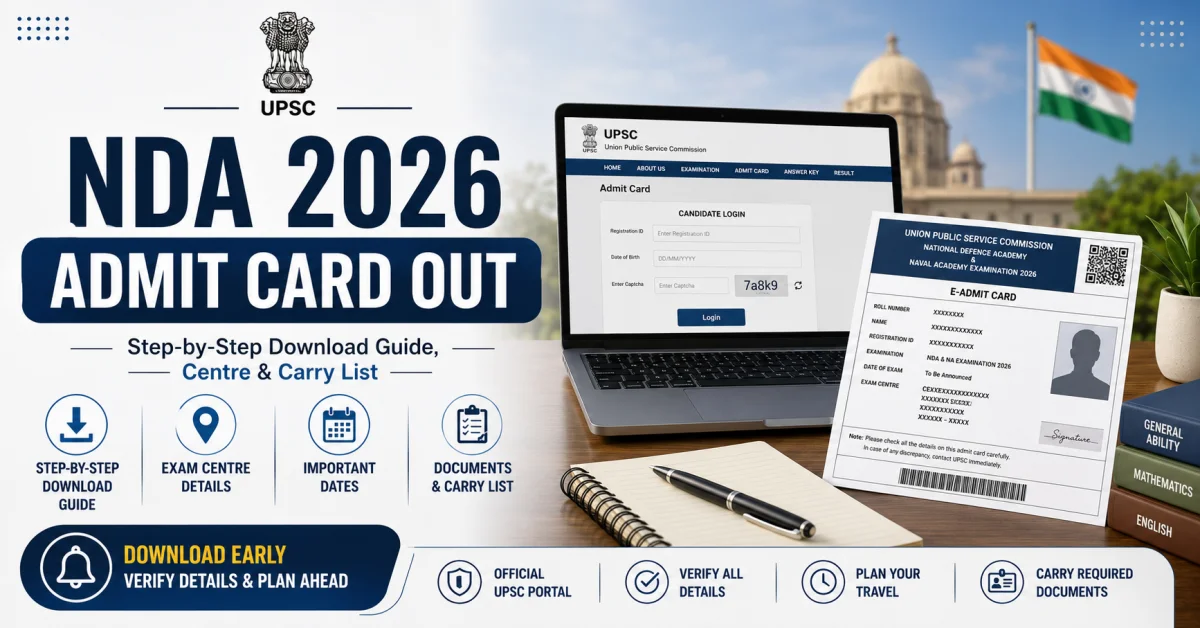
Download the NDA 2026 Admit Card with this step-by-step guide. Learn how to access your hall ticket, check exam centre details, verify important information, and know exactly what to carry on exam day to avoid last-minute issues.
NDA 2026 Admit Card Out: Step-by-Step Download Guide, Centre & Carry List
The NDA Admit Card 2026 is live on the UPSC official portal, and every registered candidate must download and print it before stepping into the exam hall. NDA 1 is scheduled for 12 April 2026, which means time is tight and the steps below are worth following carefully. This guide gives you a direct path from opening the portal to walking into your exam centre with everything in order.
Roughly 4 lakh candidates apply for the National Defence Academy exam each cycle. Server load peaks right after a release, so knowing exactly what to click and which credentials to enter saves real time and real stress.
NDA Admit Card 2026: Quick Status Update
The UPSC NDA admit card 2026 for NDA 1 is currently active on upsc.gov.in. UPSC released the hall ticket well ahead of the 12 April 2026 exam date, giving candidates enough time to verify details and sort out any issues before exam day.
Sources including PW and PW Only IAS confirmed the NDA hall ticket 2026 download link went active on the UPSC official portal shortly before the exam window. Candidates who applied during the official registration period are eligible to access the admit card using their registration credentials.
For NDA 2 2026, the exam is typically held in the second half of the year. Based on past UPSC cycles, the NDA 2 2026 release date for the admit card is expected roughly two to three weeks before the scheduled exam date. Candidates should monitor upsc.gov.in regularly once UPSC announces the NDA 2 2026 exam schedule.
NDA Admit Card 2026 Release Date & Important Dates
The table below captures the key milestones for UPSC NDA 1 2026. Bookmark it as a quick reference for the NDA 2026 exam schedule.
The NDA exam date 2026 of 12 April is confirmed. Do not wait for a reminder from UPSC before downloading the admit card. The UPSC hall ticket is a mandatory document, and no candidate is permitted inside the exam venue without it.
The NDA 2 2026 release date for the admit card will follow the same pattern, typically appearing on the UPSC official portal two to three weeks before the exam. Check upsc.gov.in for the most accurate timeline.
How to Download NDA Admit Card 2026: Step-by-Step
The NDA hall ticket 2026 download process requires a registration ID and date of birth login. Follow these steps exactly to avoid common portal errors.
-
Open your browser and go to the UPSC official portal at upsc.gov.in.
-
Look for the "What's New" section on the homepage, or navigate to "Examination" and find the NDA 2026 admit card link.
-
Click the active NDA 1 2026 admit card link. It will redirect you to the candidate login page.
-
Enter your Registration ID and Date of Birth in DD/MM/YYYY format. Both fields are case-sensitive, and the date format must be exact.
-
Submit the form. Your UPSC NDA admit card 2026 will load on screen.
-
Verify all printed details before downloading: name spelling, roll number NDA, exam centre, and photograph.
-
Download the PDF and print it in colour if possible. Carry two physical copies to the exam hall.
If your credentials fail on the upsc.gov.in NDA login page, double-check the Registration ID from your original application confirmation email. If the problem continues, contact the UPSC helpline at the number listed on upsc.gov.in or email them directly through the portal's contact section. Avoid multiple failed login attempts in quick succession, as this may temporarily lock access.
How to Check Your NDA 2026 Exam Centre
The NDA exam centre 2026 is pre-allotted by UPSC. Candidates do not choose their centre and cannot change it after allotment. This is a firm policy, and community forums confirm UPSC does not entertain exam centre change requests under normal circumstances once the application window closes.
Centre details appear directly on the admit card: the name of the venue, the full address, and the room number. Once you download the admit card, check the centre immediately so you can plan travel and accommodation if the venue is in a different city.
On the NDA reporting time, UPSC exam day instructions require candidates to arrive at their allotted centre at least 30 minutes before the scheduled start time. Entry gates typically close 10 minutes before commencement. Arriving after the gates close means no entry, regardless of circumstances.
Plan to reach the venue earlier than required, particularly if you are unfamiliar with the area. Visiting the location a day in advance is a good idea, so you are not navigating traffic or searching for the building on exam morning.
Documents Required to Carry on NDA 2026 Exam Day
Knowing the documents required for NDA exam day prevents last-minute scrambling. The checklist below is based on UPSC guidelines and information published by PW and PW Only IAS.
-
Printed NDA 2026 Admit Card: Carry two copies. A soft copy on your phone is not accepted inside the examination hall.
-
Valid government photo ID for exam: Aadhaar card, Passport, Voter ID, or Driving Licence. At least one original government-issued ID is mandatory.
-
Recent passport-size photographs: Bring photographs that match the one submitted during your application. Some centres ask for these at the gate.
-
Pen: A blue or black ballpoint pen as specified in UPSC exam day instructions. Confirm the pen type from the instructions printed on your admit card.
What you must not carry: mobile phones and other electronic devices, smart watches, Bluetooth accessories, calculators, stationery not explicitly permitted, and any written material. Exam hall staff will check for these items at entry. Carrying prohibited items risks disqualification.
Common Mistakes to Avoid When Downloading NDA Admit Card 2026
Competitors in this space rarely flag the specific errors aspirants actually make. These are the mistakes worth knowing before you sit down to complete the NDA hall ticket 2026 download.
-
Wrong date of birth format: The upsc.gov.in NDA login page requires DD/MM/YYYY. Entering the date in any other format causes an authentication error.
-
Printing at very low resolution: Low-resolution printouts make the barcode, roll number NDA, and photograph illegible. Invigilators may reject an unreadable admit card. Print at a minimum of 200 DPI, preferably higher.
-
Not checking the admit card for discrepancies: A spelling error in your name, a wrong photograph, or an incorrect exam centre must be reported to UPSC in writing immediately. Do not assume it will be sorted on exam day.
-
Waiting until exam day to download: The UPSC official portal experiences high traffic after the admit card release. Download yours as soon as the link goes live to avoid server slowdowns.
-
Relying on a soft copy on your phone: A physical printout is mandatory. A screenshot or PDF on your phone will not be accepted at the examination centre.
What Details Are Printed on the NDA 2026 Admit Card?
Knowing what appears on the UPSC hall ticket helps you verify accuracy the moment you download it. The NDA 2026 admit card carries all of the following information.
-
Candidate's full name
-
Roll number NDA (your unique exam identifier)
-
Registration ID
-
Candidate's photograph and signature
-
NDA exam centre 2026: name and full address of the venue
-
Room or hall number
-
NDA exam date 2026 and scheduled start time
-
Exam day instructions from UPSC
Cross-check every field against your application data. If you spot an admit card discrepancy in any detail, contact the UPSC helpline or submit a written complaint through the official communication channel listed on upsc.gov.in. Do not delay this, as corrections take time and the exam date is fixed.
NDA 2026 Preparation Resources
Downloading your admit card is one task. Using the remaining time before 12 April productively is another. Every day between now and the exam counts for your preparation.
For candidates who want to make the most of the weeks remaining, check our complete NDA 2026 Syllabus and Preparation Guide on Defence Study. It covers the Mathematics and General Ability Test syllabus in detail, topic-wise weightage, and a structured study plan to help you build confidence before exam day.
Alongside syllabus preparation, read the official UPSC exam day instructions printed on your admit card. These may include specific dress code notes, guidelines on permissible items, and reporting protocols for your exam centre. Reading them in advance removes uncertainty on exam morning.
After the exam, the NDA 2026 result is expected between June and July 2026, based on past UPSC timelines. Keep your roll number NDA safe even after exam day, as it is required for result checking and subsequent SSB shortlist verification.
FAQs: NDA Admit Card 2026
When was the NDA Admit Card 2026 released?
The UPSC NDA 1 2026 admit card was released on the UPSC official portal, upsc.gov.in, in March 2026, ahead of the NDA exam date 2026 on 12 April.
How do I download my NDA Admit Card 2026 from the UPSC portal?
Go to upsc.gov.in, find the NDA 2026 admit card link under "What's New," and use your registration ID and date of birth login to access and download the hall ticket. Print two copies.
What documents do I need to carry on NDA 2026 exam day?
The documents required for NDA exam day include the printed admit card, a valid government photo ID for exam (Aadhaar, Passport, Voter ID, or Driving Licence), and recent passport-size photographs matching your application photo.
What is the reporting time for NDA 2026 exam?
Candidates must reach their NDA exam centre 2026 at least 30 minutes before the scheduled start time. Entry gates close 10 minutes before the exam begins.
Can I change my NDA 2026 exam centre?
No. The NDA exam centre 2026 is pre-allotted by UPSC, and the board does not permit candidates to request a change after allotment under normal circumstances.
What if my login credentials do not work on the UPSC portal?
Verify your Registration ID and confirm your date of birth is entered in DD/MM/YYYY format on the upsc.gov.in NDA login page. If the issue persists, contact the UPSC helpline or use the official email contact available on the UPSC official portal. Do not wait until exam day to resolve a login problem.