CDS 2027 Application Form: How to Apply Online Step by Step
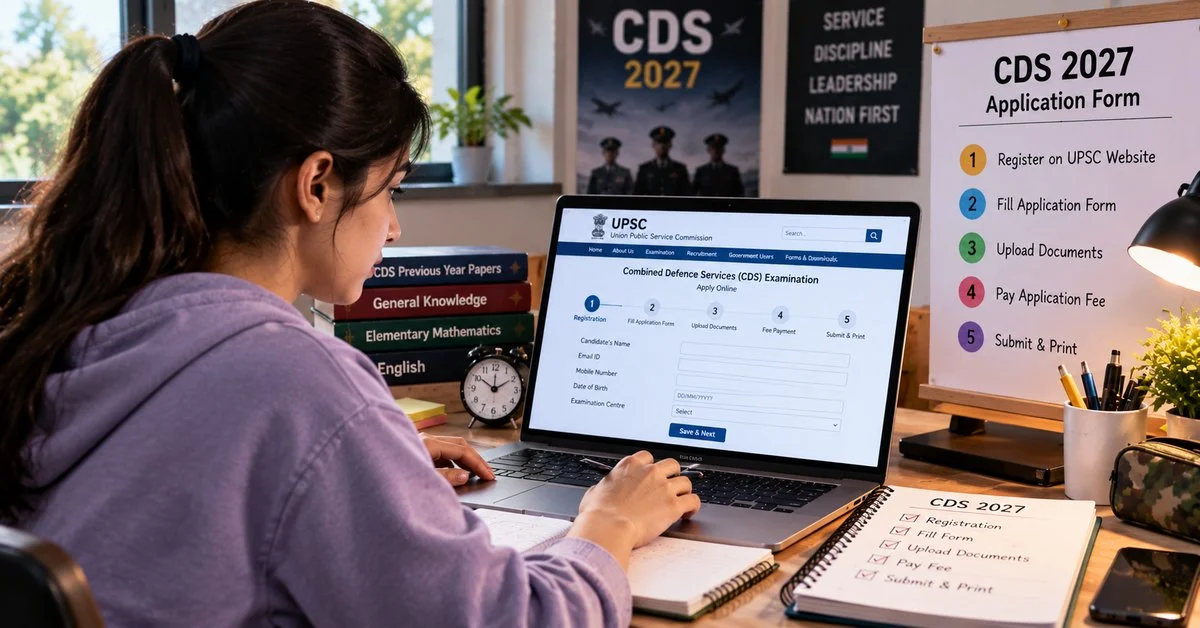
Fill the CDS 2027 application form the right way. This step-by-step guide covers UPSC registration, CDS eligibility criteria 2027 for IMA, INA, AFA and OTA, documents required, the application fee, common mistakes and what to do after you submit.
Missing a single step on the UPSC portal can cost you an entire exam cycle. The CDS 2027 application form process runs entirely through a centralised online system, and knowing the exact sequence before you begin saves both time and avoidable errors. This guide covers every stage, from mandatory registration to the correction window, with academy-specific details most summaries leave out. That includes exactly how to apply for CDS 2027 online without hitting preventable roadblocks.
What Is the UPSC OTR and Why You Must Complete It First
UPSC OTR One-Time Registration is a one-time profile creation on the upsconline.nic.in portal that links all your future UPSC applications to a single candidate account. Without completing UPSC OTR registration, the CDS application link stays inaccessible, regardless of when the UPSC notification 2027 is published.
This is not exam-specific. Once created, the same OTR profile works across every UPSC exam. Complete it well before the notification window opens so you are not rushing through basic personal details under deadline pressure. Visit upsconline.nic.in, select "OTR Registration," and store your registration ID and password somewhere secure immediately. Candidates applying for the Indian Military Academy IMA in particular should not leave this step for the last minute.
CDS 2027 Eligibility Criteria: Check Before You Apply
The Combined Defence Services exam has four separate academies, each with its own rules. Check CDS eligibility criteria 2027 before touching the form, because selecting the wrong academy cannot always be corrected afterward. This applies equally to the Indian Naval Academy INA, where the degree requirement alone rules out a large number of applicants.
-
Indian Military Academy (IMA): Male candidates only, age 19 to 24 years, degree from a recognised university.
-
Indian Naval Academy (INA): Male candidates only, age 19 to 22 years, Engineering degree required.
-
Air Force Academy (AFA): Male candidates only, age 20 to 24 years, degree with Physics and Mathematics at 10+2 or degree level.
-
Officers Training Academy (OTA): Male and female candidates, age 19 to 25 years, degree from a recognised university.
All candidates must be Indian citizens. Nationality rules do permit subjects of Bhutan or Nepal and persons of Indian origin from specified countries under specific conditions. Confirm your category against the official UPSC eligibility page before proceeding, whether you are applying for the Air Force Academy AFA or any other stream.
Documents Required for CDS 2027 Application Form
Gathering the documents required for CDS application form before you start filling anything prevents mid-session errors that force you to restart. Have these ready in digital form, including for the Officers Training Academy OTA, where female candidates often find the category certificate requirement catches them off guard:
-
Scanned photograph: JPEG format, white background, dimensions 200x230 pixels, file size between 20 KB and 50 KB.
-
Scanned signature: JPEG format, dimensions 140x60 pixels, file size between 10 KB and 20 KB.
-
Class 10 certificate for date of birth verification.
-
Degree certificate or final year marksheet depending on academy choice.
-
Category certificate for SC, ST, or OBC candidates.
-
Valid email ID and mobile number for OTP and acknowledgement.
Meeting the photo upload specifications UPSC mandates and the signature upload format UPSC requires is non-negotiable. Forms with incorrect file sizes or wrong backgrounds are rejected at the processing stage, and UPSC does not send individual rejection notices.
Step-by-Step Guide to Fill the CDS 2027 Application Form Online
Follow these steps in order on the upsconline.nic.in portal once your OTR profile is active and the UPSC notification 2027 is live:
-
Log in using your OTR credentials.
-
Select "Combined Defence Services Examination" from the active examinations list.
-
Fill in personal details, confirming your name exactly matches your Class 10 certificate.
-
Enter academic details and select your preferred academy carefully.
-
Upload photograph and signature as per the photo upload specifications UPSC and signature upload format UPSC listed above.
-
Review the preview page thoroughly before proceeding.
-
Submit the form and complete fee payment to finalise your application.
Do not close the browser during payment. A dropped connection after payment but before confirmation can create a transaction dispute that delays your application status update by days.
CDS 2027 Application Fee: Amount, Payment Modes, and Exemptions
The application fee for General and OBC category candidates is Rs. 200. The CDS application fee exemption SC ST applies to all SC and ST candidates, and female candidates across all categories are also fully exempt.
Payment modes accepted include SBI net banking fee payment, credit card, debit card, and UPI. After payment, save the transaction reference number immediately. The system generates a confirmation screen, so take a screenshot or note the reference before closing the tab. A payment that processes but does not reflect right away usually reconciles within 24 hours, so avoid re-submitting the fee.
CDS Application Form Correction Window: What You Can and Cannot Edit
UPSC opens a CDS form correction window for approximately one week after the application deadline closes. This window lets candidates fix specific fields without withdrawing the entire application.
Editable fields typically include name spelling corrections, date of birth where supporting evidence exists, photo and signature re-uploads, and category details. Fields that cannot be edited include exam centre choices beyond the permitted limit, academy selection in most cycles, and gender.
To use the correction window, log in to upsconline.nic.in with your OTR credentials, select the submitted application, and edit only the necessary fields. Submit again after corrections and save the updated confirmation page. Changes attempted outside this window are not accepted under any circumstances.
Common Mistakes That Get CDS Applications Rejected
Rejections at the application stage of this defence entrance exam India follow a very predictable pattern. Most trace back to one of these errors:
-
Photo or signature files outside specified dimensions or file size limits.
-
Name entered differently from the Class 10 certificate, even by a single character.
-
Incorrect academy selection, particularly confusing OTA eligibility for IMA.
-
Fee payment not confirmed, leaving the application in a pending state.
-
Using an email address or phone number that is no longer active, causing missed OTPs and acknowledgement emails.
Cross-check every field on the preview page against your original documents before hitting submit. That preview step exists precisely to catch these issues before they become problems.
Post-Submission Checklist
Once the question of how to apply for CDS 2027 online is sorted, your next few actions matter more than most candidates realise. Complete these before closing the portal session:
-
Save your application confirmation number in at least two places.
-
Download and print the PDF copy of the submitted form.
-
Check your registered email for an acknowledgement message from UPSC.
-
Keep your OTR login credentials accessible for the CDS admit card download stage.
The CDS admit card download happens weeks before the written exam through the same portal. Candidates who cannot recall their OTR credentials at that point face unnecessary delays, so secure them now rather than later.
FAQs
What are the step-by-step instructions to fill the CDS 2027 application form online on the UPSC portal?
Create your account on upsconline.nic.in, complete the Universal Registration Number (URN) and the Common Application Form, then select the Combined Defence Services exam once the notification is live. Fill your academy preferences and exam centre, upload your photo and signature, preview the form, pay the fee if it applies, and submit. Save the confirmation page.
What documents are required and what are the photo/signature upload specifications?
Documents required for CDS application form include your Class 10 certificate, degree or final year marksheet, a photo ID such as Aadhaar, and a category certificate if you are claiming the SC or ST fee exemption. Upload your photograph and signature in the format and file size given in the official notification. The portal also asks you to capture a live photograph.
What is the eligibility criteria for CDS 2027 for each academy?
IMA requires a degree and age 19 to 24. INA requires an Engineering degree and age 19 to 24. AFA requires a degree with Physics and Mathematics at 10+2 level or a Bachelor of Engineering, and age 20 to 24. OTA accepts both male and female graduates aged 19 to 25. All candidates must also satisfy the nationality and marital status conditions in the CDS eligibility criteria 2027.
How much is the CDS 2027 application fee and who is exempt?
The fee is Rs. 200 for General, OBC and EWS male candidates. SC and ST candidates pay nothing, and female candidates of all categories are also exempt. Payment is accepted through net banking, debit card, credit card, or UPI.
Is there a CDS form correction window after submitting the application?
Recent UPSC notifications state that no correction is allowed in any field after the form is submitted, and the application cannot be withdrawn. UPSC offers a one-time edit of the registration profile, but it applies only to applications submitted after the edit. So treat your submission as final and check every detail on the preview page. If UPSC announces a CDS form correction window for 2027, follow the dates given in the official notification.